YeahBadges

Trust badges for your store. Create. Place. Check.

Every store makes promises. Show yours where shoppers decide, in trust badges and icons you design, animate and place. If a badge is missing, the store check helps you find common causes.

Silent loop with English text. It shows different badge sizes on desktop and phone, a popup linking to shipping details, and an existing discount code being copied. In the sample store, the store check identifies a disabled app embed. Enabling it makes the badge appear.

The whole editor. In one film.

A narrated tour of every tab: start with a badge made for what you offer, make it yours, bring it to life, place it, plan it, translate it, and let YeahBadges check your work before you publish.

English narration, with captions in English and subtitles in German.

Narrated film of the YeahBadges editor with a made-up snowboard store. It shows the badge picker, the icon library and uploads, icon actions, templates and theme colors, animations, 3D icons, placement with product rules and an A/B test in Shopify Rollouts, scheduling and delivery dates, translations, live stock and ratings, the checks, the preview on desktop and phone, and publishing.
  • Trust badges

    Secure checkout
    Free shipping
    Easy returns
  • Icons

    Secure checkout
    Free shipping
    Easy returns
    Recycled
  • Payment logos

    Official artwork, unaltered.

Badges to suit your store.

Start with a badge made for what you offer: shipping, returns, payments, guarantees and more, as a banner, an icon block, minimal icons, payment logos or the official EU notice. Then pick icons from the library or upload your own. Payment logos use the official artwork without alterations.

Explore design and content
Start with a promise.
Choose a banner, icon block, minimal icons or payment badges. Start from a template or an industry pack, then write your heading, titles and subtitles. Suggestions use your badge text and the products you sell. Or click an icon in the preview and type its new title.
Make it look like your store.
Start from a template, or let YeahBadges pick up your theme’s colors and font. Then set corners, gradients, line weight, layout, spacing, borders and backgrounds. Give single icons their own colors, or leave the badge frameless.
Bring your own mark.
Search for icons in English or German, keep favorites and reuse your own looks. Add text to a seal, upload an SVG or image, or turn a suitable image into a recolorable icon. Choose a file, drop it in or paste it.
Keep brands as they are.
Payment logos and official Apple App Store and Google Play badges keep their original appearance. Payment badges can show just the methods your shop accepts.

Icons that move. On your timing.

Give a badge an entrance, let each icon react to the mouse, and send a light along its frame. By default, each animation plays once and comes to rest. Let it repeat or play continuously, and stop as soon as the shopper interacts. Shoppers who reduce motion see no movement.

Your device asks for less motion, so this example stays still, as badges do for your shoppers.

Example: the truck drives on, the heart beats, the lock holds tight, with the animation code your store gets.

Icons in 3D. In color or chrome.

The Sculpt tab lifts the line icons of a badge off the page as solid shapes. They come in or move in place, as often as you set, and tilt toward the mouse. Choose the badge colors with a lacquer shine, or polished chrome.

Without WebGL, and for payment logos, uploads and seals, icons stay flat.

Secure checkout
Free shipping
Easy returns
Badge colors
Secure checkout
Free shipping
Easy returns
Chrome

One badge. Room on every screen.

Set smaller icons, titles and subtitles for phones, or keep your desktop sizes. The arrangement stays shared. Switch this example to see the difference.

Show a badge on all devices, just desktop or just mobile. On phones, you can also use a dismissible bar at the bottom of the screen.

Kestrel Supply

Fieldpack 22

Add to cart

Secure checkoutAt checkout
Free shippingTo your door
Easy returnsHere to help

Illustrative size settings for the same badge. Your store’s preview lets you check the result on its own pages.

Your badge. Your choice.

Drag a badge to your chosen position in your live store. Anchor it to a page element, such as the Add to cart button, to keep it aligned with that element.

Or choose an automatic placement:

  • Product page
  • Cart page
  • Cart drawer
Place it in context.
Preview your actual store page, then drag, resize or nudge the badge into place. Let it snap to an element, move with a page or column, or stay on screen while shoppers scroll. Choose which kinds of pages it appears on.
Use the place your theme provides.
Choose an automatic position on product or cart pages and in the cart drawer. Or add a YeahBadges app block in the theme editor. An advanced selector is available for custom placements. Check the result in your theme.

No changes to your theme code.

A small badge. A useful next step.

Link to a policy, explain a promise in a popup, offer an existing discount code or take shoppers to a section of the page. Try these local examples.

Kestrel Supply · interactive example

In this example, the Fieldpack travels in a reused box. A popup gives a short promise enough room for its explanation.

Read the example details

Delivery details for this example

A real badge can link to your shipping or returns policy, another page, an email address or a phone number. Web links can open in a new tab.

Materials in this example

This is the local destination of the scroll action. In your store, choose product reviews or another section of the page.

A brief explanation can also appear as a tooltip. Keep essential information visible, especially for touch users.

Useful information. From real values.

A stock note can follow the selected product variant. Delivery information follows your order cutoff, working days and holidays. A countdown ends when your scheduled offer does.

Kestrel Supply · Fieldpack 22Add to cart
Estimated delivery: [calculated date]
Example template, not a live delivery estimate
Use the facts you have.
Set a low-stock threshold and your delivery calculation. If a required value is missing, the affected text or icon stays hidden. Delivery dates depend on the settings you provide.
Show your product’s reviews.
Use the rating and review count from supported product review data, with a minimum number of reviews. Stock and ratings belong on product pages.

The right message for the visit.

Product
Fieldpack 22
Country
Germany
Language
German
Illustrative audience settings, not live visitor data
Choose who sees it, and when.
Limit a product badge to products on sale, new arrivals, chosen brands or product types, or products with a metafield, and leave out single products. Target collections, product tags, signed-in customers with selected tags, countries in your Shopify markets and devices. Schedule a start and an end.
Write it in your customers’ languages.
Add your own translations for badge text, buttons, tooltips and popups. The review flags changed originals, differing numbers and missing live values. If a language variant is missing, the available base-language translation or original text appears.

Translations are entered by you. The preview lets you check each language before publishing.

Claim check

Climate neutral claim

UCPD Annex I, point 4c

Name what you reduce yourself, for example “Shipped in reused boxes”.

Go to field

Claims you can back up.

The claim check scans badge text and translations for potentially misleading claims, such as statements about climate neutrality. Findings include the relevant rule, its source and suggested wording. You can still publish a badge with open findings.

It also compares return windows in your badge text with your store’s return policy.

The check provides guidance, not legal advice.

One notice. 24 EU languages.

Add the EU legal guarantee notice or the GARAN label as a separate badge. The notice is available in all 24 official EU languages and matches your store’s language. The official wording stays unchanged.

Choose the language of your store

Your legal guarantee rights

GARAN label: duration, brand and model

Store check

YeahBadges is switched off in your theme

Open theme editor

Store check

Badge “Shipping note” has no YeahBadges block in your theme

Open theme editor

Badge missing? Check the cause.

The store check helps diagnose missing badges. It can identify a disabled app embed, a missing app block or a placement that could not be found. From the finding, open the theme editor or placement settings to address the problem.

See which problem the check has detected.

App embeds

YeahBadges: automatic

Store check

Badge “Store promises” could not find its place on product pages

Use free placement

Open the relevant settings and make the change.

Store check

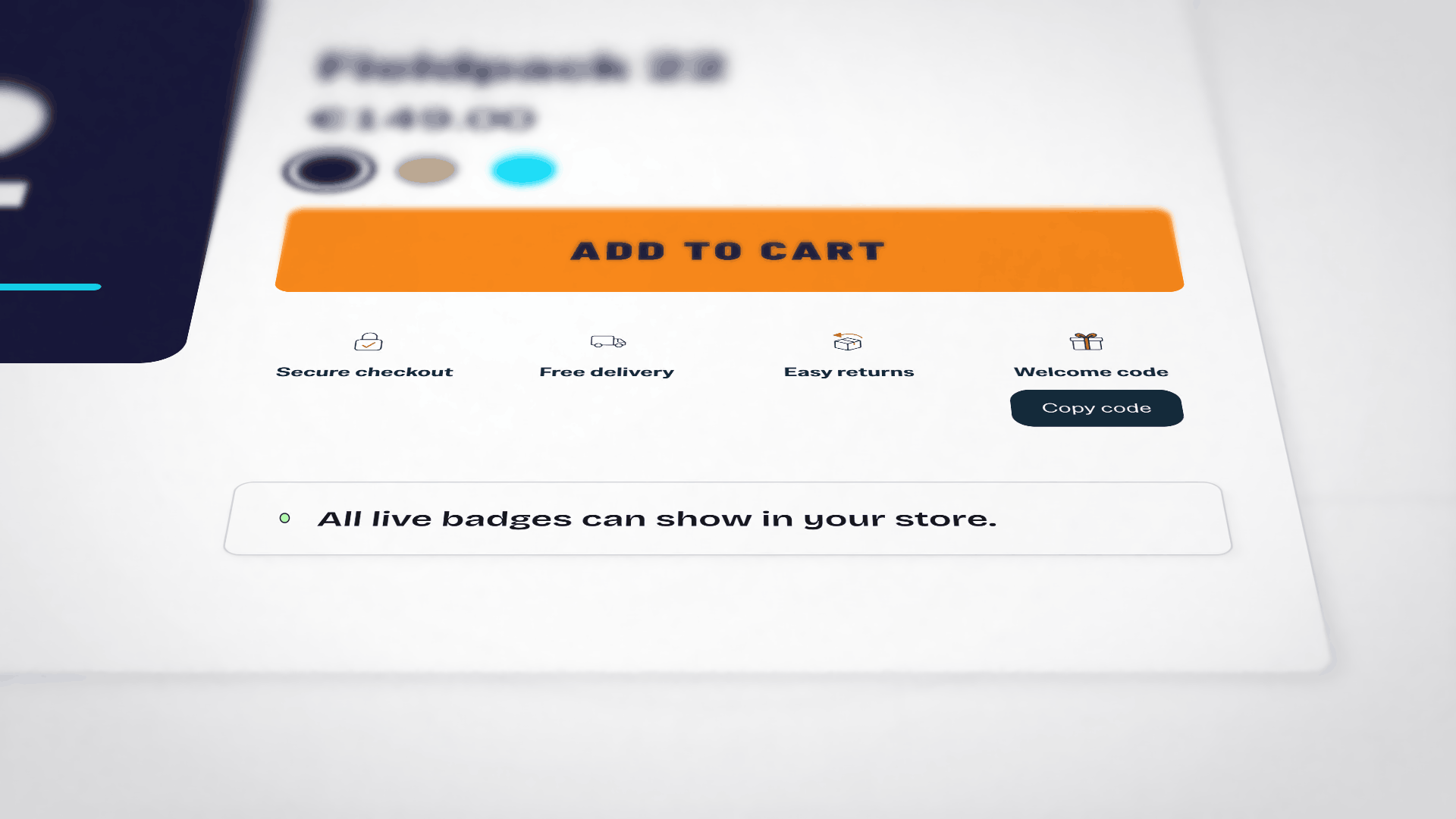
All live badges can show in your store.

Then check your store to confirm that the badge appears where you want it.

Readability and page weight
Keep the page readable.
Check contrast, small click targets, missing text and crowded badge rows. Fix contrast from the preview, and check whether a floating badge covers the buy button.
Understand what the badge adds.
See its estimated page weight and get wording for your shop’s accessibility statement. These checks cover the badge settings, not the whole theme.

See what shoppers use.

  • Views
  • Clicks
  • Period
Views, clicks and sales after badges.
Compare badge views and clicks over your chosen period, with click details for each icon and action. Optional sales measurement uses a Shopify web pixel after analytics consent. Orders and revenue after a badge view are estimates, not proof of extra sales.
Compare a different version.
Prepare badge variants for A/B tests with Shopify Rollouts on Shopify Grow or higher. Shopify distributes the visits; separate badge results help you compare them.

Your badges. From draft to live.

  1. Draft
  2. Preview
  3. Publish
Keep everyday changes manageable.
Start from a template, find settings by name and duplicate badges. Publish, pause or delete several badges at once. Reorder and copy icons with their translations, undo changes and restore browser drafts.
Bring existing work with you.
Export your badges as a YeahBadges file, or import a file to create new drafts. When switching from another app, paste your badge text and optionally locate the old app’s placements. Check the new drafts before publishing.
Checkout, Sidekick and search engines
Continue into checkout.
Add eligible badge text and payment logos through a Shopify block. Checkout requires Shopify Plus; the thank-you page is available on plans other than Starter. These blocks use Shopify’s appearance and omit live values and product or customer-tag filters.
Ask Sidekick.
Find badges, look up their results and get suggestions. Sidekick links you to the editor; you decide what to change and save.
Describe visible promises for search engines.
Optionally add structured information for a return window or free shipping stated in your badge. Search engines decide how to use it.

Tested from Dawn to Horizon.

23free Shopify themes

Automated tests check badge placement on product pages, cart pages and cart drawers in the 23 free Shopify themes listed here, at desktop and mobile screen widths.

A small starter script loads with your theme, the rest where a badge shows. Badges come through a theme app extension and can take your theme’s font and colors.

Dawn family

  • Dawn
  • Craft
  • Sense
  • Refresh
  • Studio
  • Ride
  • Taste
  • Crave
  • Colorblock
  • Origin
  • Publisher
  • Spotlight
  • Trade

Horizon family

  • Horizon
  • Savor
  • Tinker
  • Atelier
  • Dwell
  • Fabric
  • Heritage
  • Pitch
  • Ritual
  • Vessel

Tests use the standard templates in each theme’s demo store. Custom templates or theme changes may affect placement. Check placement in your store and adjust it as needed.

Get started for free.

The free plan includes all features and 5,000 page views with badges per month.

Move to a larger view allowance as your store grows, with monthly or yearly billing. The features stay the same.

Kestrel Supply is a fictional store. The examples show real YeahBadges badges in desktop and mobile layouts.